Recipes
Each recipe is a complete template in examples/_templates/. The pictures show the same sample page with the default template (left) and with the recipe (right), exported with:
ope export ./Handbook --title "Team handbook" --version 1.2.0 --date 2026-04-01 --no-toc -T <recipe>
The folder recipes keep only the rules they add in custom.css. To use one, put a copy of default.css into the folder as main.css and append custom.css to it:
cp -r examples/_templates/letterhead examples/_templates/assets ~/.config/obsidian-pdf-exporter/templates/
cd ~/.config/obsidian-pdf-exporter/templates/letterhead
curl -sL https://raw.githubusercontent.com/Spenhouet/obsidian-pdf-exporter/main/obsidian_pdf_exporter/templates/builtin/default/default.css > main.css
cat custom.css >> main.css && rm custom.css
ope export ./Handbook -T letterhead
Company letterhead
A logo at the top right of every page, the address on the first page, the document title on the following pages, and a teal accent colour.
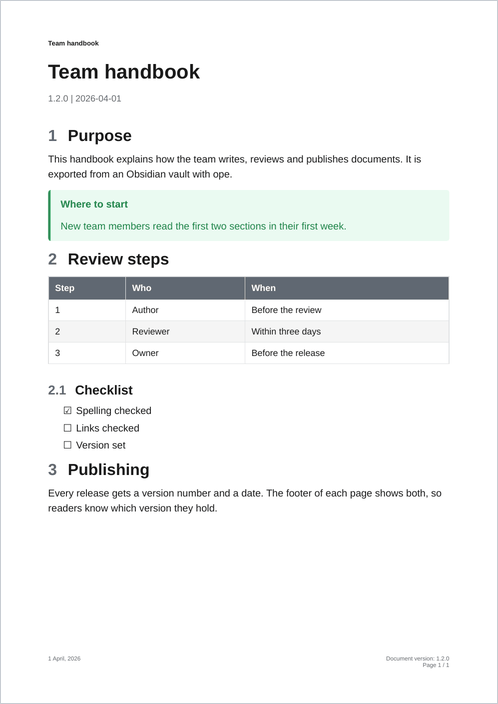
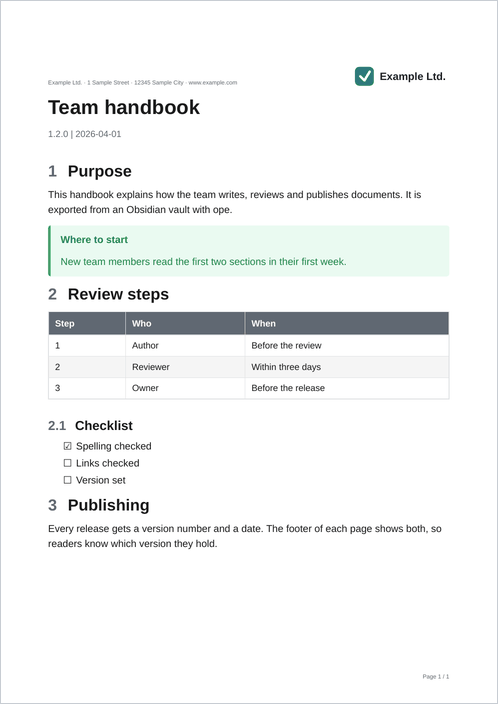
/* Running elements: taken out of the text and placed in margin boxes. */
.letterhead-logo { position: running(logo); width: 40mm; }
.letterhead-address { position: running(address); font-size: 7pt; color: #606872; }

/* The document title from the title block, for the header of later pages. */
header#title-block-header .title { string-set: doc-title content(); }

@page {
  margin: 30mm 20mm 22mm 20mm;
  @top-left { content: string(doc-title); font-family: Arial, Helvetica, sans-serif; font-size: 8pt; font-weight: bold; vertical-align: bottom; padding-bottom: 10pt; }
  @top-right { content: element(logo); vertical-align: bottom; padding-bottom: 6pt; }
  @bottom-right { font-family: Arial, Helvetica, sans-serif; content: "Page " counter(page) " / " counter(pages); font-size: 7pt; color: #606872; }
}

/* First page: address instead of the title, and more room for the letterhead. */
@page :first {
  margin-top: 40mm;
  @top-left { content: element(address); vertical-align: bottom; padding-bottom: 10pt; }
}
The logo is ../assets/logo.svg, a shared asset. It becomes a data URI when the template is loaded, so it shows inside the margin box.
Change the footer text
Title and version line at the bottom left, a fixed notice in the middle, "Page X of Y" at the right. The header is left out. This recipe changes only page.css, so main.css is an unchanged copy of default.css.
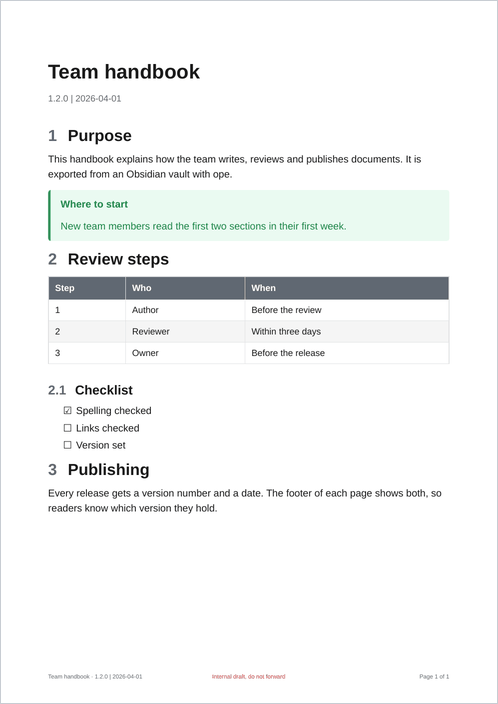
/* Copy the title and the version line of the title block into named strings. */
header#title-block-header .title { string-set: doc-title content(); }
header#title-block-header .author { string-set: doc-meta content(); }

@page {
  @bottom-left { font-family: Arial, Helvetica, sans-serif; content: string(doc-title) " · " string(doc-meta); font-size: 7pt; color: #606872; }
  @bottom-center { font-family: Arial, Helvetica, sans-serif; content: "Internal draft, do not forward"; font-size: 7pt; color: #c53030; }
  @bottom-right { font-family: Arial, Helvetica, sans-serif; content: "Page " counter(page) " of " counter(pages); font-size: 7pt; color: #606872; }
}
Confidentiality label
A label at the top right, set per export with -O confidentiality=Internal. The text comes from an option, so this is a Python template. It extends default and keeps everything else.
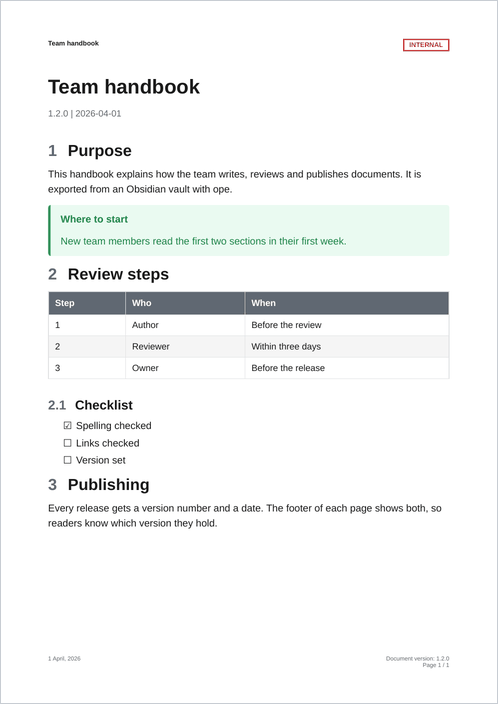
-O confidentiality=Internal"""A template that adds a confidentiality label from ``-O confidentiality=...``.
It extends the built-in default template, so it keeps all of its CSS and
its header and footer, and only adds a label at the top right of each page.
ope export ./Notes -T confidential -O confidentiality=Internal
"""
from __future__ import annotations
from obsidian_pdf_exporter.templates import Decorations
from obsidian_pdf_exporter.templates import ExportContext
from obsidian_pdf_exporter.templates.builtin.default import DefaultTemplate
class ConfidentialTemplate(DefaultTemplate):
"""The default template plus a confidentiality label."""
name = "confidential"
description = "Default template with a confidentiality label"
def decorations(self, context: ExportContext) -> Decorations | None:
base = super().decorations(context) or Decorations()
label = context.options.get("confidentiality", "")
if not label:
return base
escaped = label.replace("&", "&").replace("<", "<")
running_html = f'<span class="confidential-label">{escaped}</span>\n'
page_css = """
.confidential-label {
position: running(confidential);
font-family: Arial, Helvetica, sans-serif;
font-size: 8pt;
font-weight: bold;
text-transform: uppercase;
color: #c53030;
border: 1.5pt solid #c53030;
padding: 2pt 6pt;
}
@page {
@top-right { content: element(confidential); vertical-align: bottom; padding-bottom: 12pt; }
}
"""
return Decorations(
running_html=base.running_html + running_html,
page_css=base.page_css + page_css,
)
#: Picked up by scripts/render_examples.py for the docs screenshots.
TEMPLATE = ConfidentialTemplate
Register it as an entry point (see Publish as a package) and export with:
For a fixed label, a folder template is enough: put @top-right { content: "INTERNAL"; } into its page.css.
Compact variant
Smaller text, tighter spacing and narrow margins, for long reference documents.
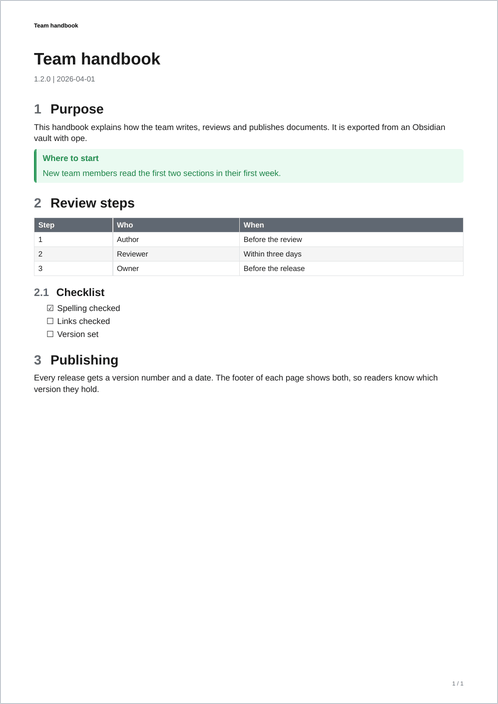
header#title-block-header .title { string-set: doc-title content(); }
@page {
  @top-left { content: string(doc-title); font-family: Arial, Helvetica, sans-serif; font-size: 7pt; font-weight: bold; vertical-align: bottom; padding-bottom: 6pt; }
  @bottom-right { font-family: Arial, Helvetica, sans-serif; content: counter(page) " / " counter(pages); font-size: 7pt; color: #606872; }
}
Dark variant
Light text on a dark page, for reading on screens. Most of it is a change of the colour variables.
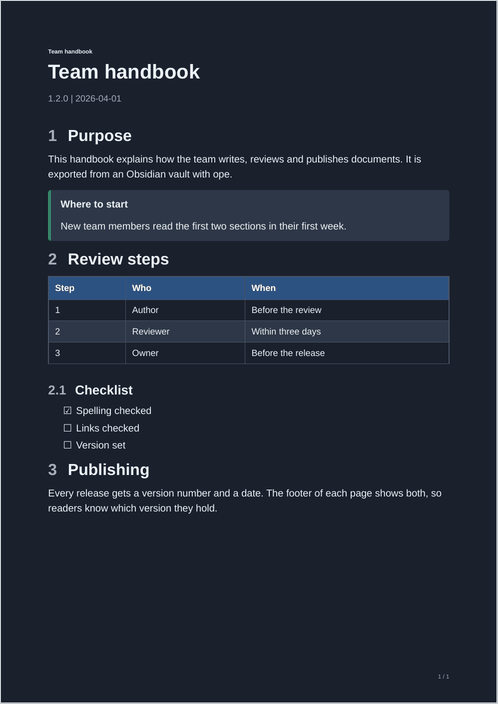
:root {
  --color-accent: #90cdf4;
  --color-grey: #a0aec0;
  --color-light-grey: #2d3748;
  --color-mid-grey: #4a5568;
  --color-dark: #edf2f7;
}
@page { background: #1a202c; }
@page landscape-page { background: #1a202c; }
body { background: transparent; color: var(--color-dark); }
thead tr { background: #2c5282; }
th { color: #ffffff; }
td { border-color: var(--color-mid-grey); }
code, pre { background: #2d3748; color: #edf2f7; }
.callout { background: #2d3748; }
.callout, .callout * { color: var(--color-dark); }
header#title-block-header .title { string-set: doc-title content(); }
@page {
  @top-left { content: string(doc-title); font-family: Arial, Helvetica, sans-serif; font-size: 7pt; font-weight: bold; color: #edf2f7; vertical-align: bottom; padding-bottom: 6pt; }
  @bottom-right { font-family: Arial, Helvetica, sans-serif; content: counter(page) " / " counter(pages); font-size: 7pt; color: #a0aec0; }
}
@page { background: ... } colours the whole sheet, margins included. body alone would leave a white border.