Meta Bind
The meta_bind plugin fills Meta Bind VIEW fields with the values of the page's frontmatter. INPUT and BUTTON fields have no PDF form and are removed.
Markdown
---
product: Example App
version: 2.4.0
released: 2026-04-15
platforms: |
  - Linux
  - macOS
---
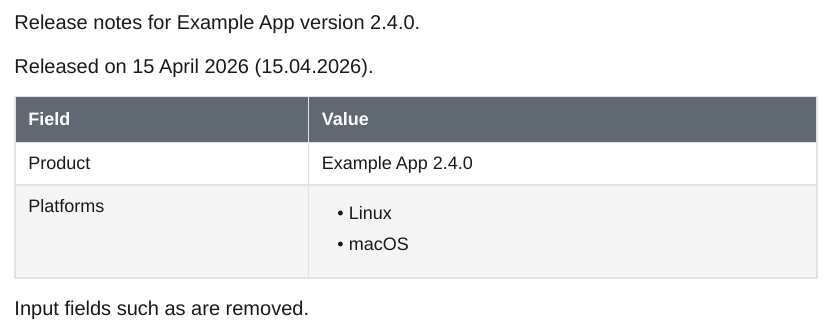
Release notes for `VIEW[{product}][text]` version `VIEW[{version}][text]`.

Released on `VIEW[{released}][date(D MMMM YYYY)]` (`VIEW[{released}][date(DD.MM.YYYY)]`).

| Field     | Value                                     |
| --------- | ----------------------------------------- |
| Product   | `VIEW[{product} + " " + {version}][text]` |
| Platforms | `VIEW[{platforms}][text]`                 |

Input fields such as `INPUT[text:version]` are removed.
{key}is the value of a frontmatter field.+joins values and quoted text.[date(D MMMM YYYY)]and[datetime(DD.MM.YYYY HH:mm)]format an ISO date or date and time with moment.js tokens:D,DD,M,MM,MMM,MMMM,YY,YYYY,H,HH,mmandss. Month names are English. Other text in the format is kept. A value that is not a date is shown as written.- A multi-line value shown inside text, such as in a table cell, stays in its cell: list items become an HTML list, other lines are joined with line breaks. A field alone on its line keeps the lines as they are.
- Fields inside code blocks are left as written.
- In an embedded note, the fields use the embedded note's frontmatter.