Citations
The citations plugin renders pandoc citations with pandoc --citeproc, as the Citations plugin and the Zotero integration plugins write them. The bibliography of this example is examples/_attachments/references.bib.
Markdown
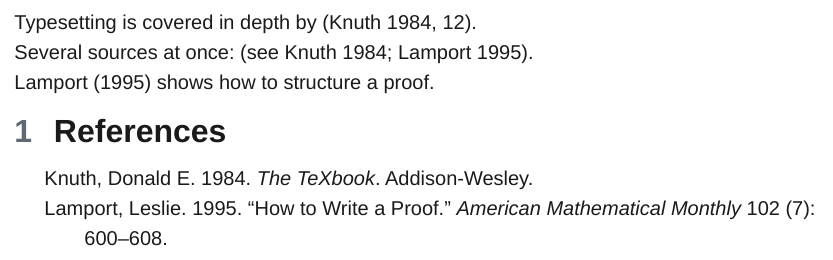
| Written | Rendered (default Chicago author-date style) |
|---|---|
[@doe2020] |
(Doe 2020) |
[@doe2020, p. 12] |
(Doe 2020, 12) |
[see @doe2020; @roe2021] |
(see Doe 2020; Roe 2021) |
[-@doe2020] |
(2020) |
@doe2020 shows |
Doe (2020) shows |
Bibliography
The bibliography is the first one found of:
-O citations.bibliography=refs.bib(several files separated by,). Relative paths start at the current folder or the exported folder.- The export path of the Citations plugin:
citationExportPathin.obsidian/plugins/obsidian-citation-plugin/data.json, relative to the vault. bibliography:in the frontmatter of the exported notes (a path or a list), relative to the note.
BibLaTeX and BibTeX (.bib, .bibtex), CSL JSON (.json) and CSL YAML (.yaml) work.
Options
| Option | Effect |
|---|---|
-O citations.bibliography=PATH |
Bibliography files, separated by ,. |
-O citations.csl=PATH |
A CSL style. csl: in the frontmatter does the same. |
-O citations.title=TEXT |
Heading of the reference list when ope adds one. |
-O citations=off |
Leave citations as written. |
Where the reference list goes
The list goes into a {#refs} block when the document has one, otherwise below the last heading named References, Bibliography, Works cited, Literature or Sources. Without either, a References heading and the list are added at the end. Citations link to their entry.
@word outside brackets becomes a citation only when word is a key of the bibliography, so @mentions and e-mail addresses stay text. A link to a literature note such as [[@doe2020]] becomes the in-text citation @doe2020 when the note is not part of the export.
Without a bibliography, citations stay as written and the export prints one warning. A citation whose key is not in the bibliography also prints a warning, and pandoc shows it as (doe2020?).