Mermaid
```mermaid blocks are drawn as SVG by Pele, a Mermaid renderer in TypeScript by the Obsidian team. ope runs it in the JavaScript engine that also runs DataviewJS, so it needs no Node.js, npm or browser. It reads Mermaid 12.1 syntax and draws every diagram type Mermaid has, in a few milliseconds per diagram. A block Pele cannot draw, for example because of a syntax error, stays a code block and the export prints a line starting with Warning:.
Markdown
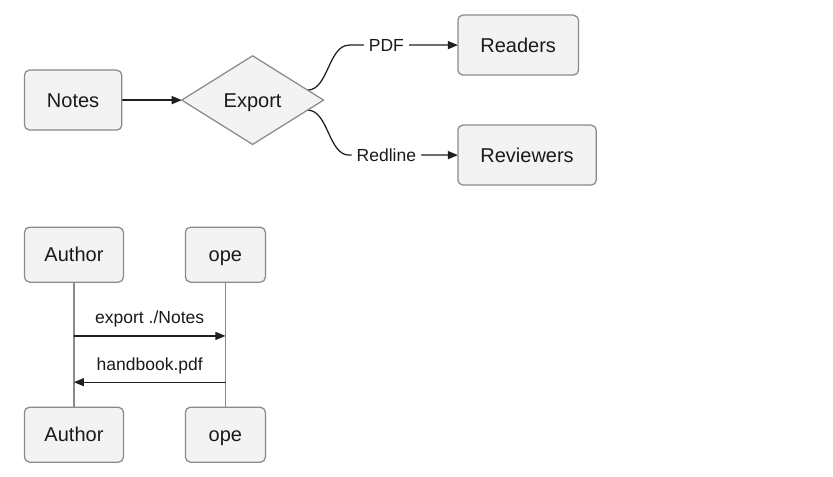
The output is SVG, so text stays sharp and can be searched.
Options
| Option | Effect | Default |
|---|---|---|
-O mermaid=off |
Keep Mermaid blocks as code. | on |
-O mermaid.config=PATH |
JSON Mermaid config, such as themeVariables.fontSize. |
none |
-O mermaid.max_height=LENGTH |
Largest height, such as 10cm. Taller diagrams are scaled down. |
none |
-O mermaid.landscape=on\|off |
Put wide diagrams on landscape pages. | on |
-O mermaid.landscape_ratio=R |
Width to height ratio from which a diagram that has to shrink goes to landscape. | 1.4 |
-O mermaid.landscape_min_font=PT |
Smallest text size a diagram may shrink to on a portrait page before it goes to landscape, or to fit a tall diagram on one page. | 7 |
-O mermaid.fit=on\|off |
Scale or split diagrams that are taller than the page. | on |
A template can set a base config with the mermaid key in template.yaml or Template.mermaid_config(). mermaid.config is merged over it.
Earlier versions drew diagrams with mermaid-cli, which needed Node.js and a headless Chromium. ope no longer uses it. Its options mermaid.renderer, mermaid.theme, mermaid.format, mermaid.scale, mermaid.cli, mermaid.puppeteer_config and mermaid.trim have no effect, and the export prints a warning when one is set. mermaid.renderer=pele is accepted without a warning.
Colors and fonts
Pele draws with its own neutral style. Its colors are the CSS variables listed under Theming, such as --pele-fg, --pele-surface, --pele-border, --pele-line, --pele-accent and --pele-series-1 to --pele-series-8. WeasyPrint does not resolve CSS variables in SVG, so ope writes their values into the SVG. They come from the template's CSS:
- The label font is the
font-familyofbody, the monospace font the one ofcodeorpre, and the text color thecolorofbody. Diagrams use the font of the document. themeVariables.fontFamilyin the Mermaid config sets the label font too.themeVariables.fontSizein the Mermaid config or in the front matter of a diagram sets the base font size.--pele-*variables in a rule for:root,html,bodyor.peleset any color. They may usevar()of other custom properties of those rules.
Pele needs the width of every label to lay a diagram out. ope measures them with Pango, the text engine WeasyPrint uses, in the font of the PDF, so labels fit their boxes in any font.
Differences from Mermaid
Pele reads the same syntax as Mermaid, but it is not mermaid.js. A diagram can look different from the one in Obsidian:
- Pele has its own layout, so boxes and lines can be placed differently.
- Mermaid themes (
theme,themeVariablescolors,themeCSS) and%%{init}%%theme settings are not used. Map colors with--pele-*variables in the template instead, see Colors and fonts. layout: elkis not used. Pele always lays a diagram out on its own.- Links and images in diagrams are turned off.
<br>and</br>both break a label into lines.
The Pele build is part of ope (version 1.6.0, MIT license, see the license header of obsidian_pdf_exporter/core/assets/pele.js). scripts/update_pele.py in the repository replaces it with another version and checks it against the hash the npm registry publishes. CI checks that the stored build is the pinned one.
Diagram size
A diagram keeps its natural size and only shrinks when it is wider than the text. mermaid.max_height scales down taller ones. Other sizes belong in the template's CSS: every diagram has the classes doc-image, mermaid and mermaid-<type>, see CSS reference.
Pele gives every diagram an exact size with a margin of 8 px, so there is no empty space to trim.
%% comment lines in a block are removed before rendering.
Wide diagrams
A diagram wider than the text shrinks, and so does its text. When that makes it hard to read, the diagram goes to its own landscape page, like a wide table.
Markdown
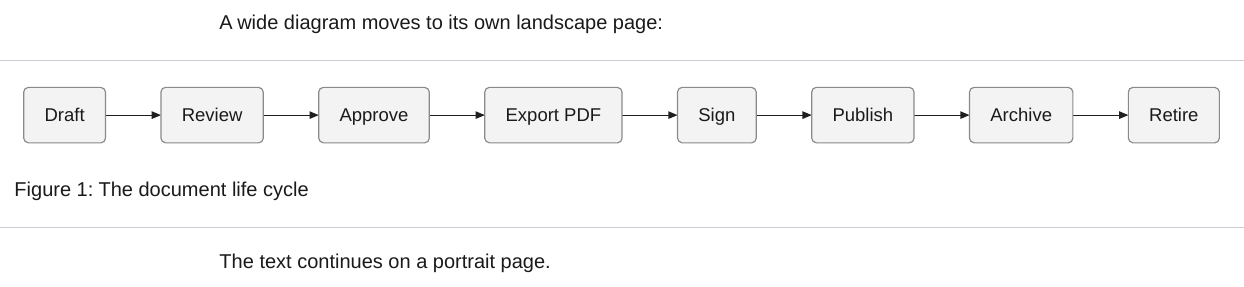
A diagram moves when it has to shrink to fit a portrait page and either its width is at least mermaid.landscape_ratio times its height, or its text would get smaller than mermaid.landscape_min_font points. It only moves when the landscape page shows it larger, so a tall diagram stays where it is. On the landscape page it is sized to fit the page height, with room for a caption.
A short paragraph right below the diagram that starts with a word and a number, such as Figure 1: Overview, is its caption and moves with it. The diagram gets the class landscape, its wrapper wide-table-section landscape-figure, so a template's landscape page for tables applies to diagrams too.
Tall diagrams
A diagram taller than the page would run past the bottom margin. ope keeps every diagram inside the page content box. The size of the page and its margins come from the template, for portrait and landscape pages alike.
- When the diagram's text stays at least
mermaid.landscape_min_fontpoints tall, the diagram is scaled down to the height of the page. It keeps its aspect ratio. A caption below it stays on the same page. - Otherwise the diagram is cut into parts that follow each other over several pages. The parts keep the width the diagram had, so the text keeps its size. Each cut goes through a row near the bottom of the page where little is drawn, so it does not go through a box or a line of text when there is a gap between them.
Markdown
A sequence diagram that is taller than the page goes on over two pages:

```mermaid
sequenceDiagram
    participant C as Client
    participant S as Server
    C->>S: Request 1
    S-->>C: Response 1
    C->>S: Request 2
    S-->>C: Response 2
    C->>S: Request 3
    S-->>C: Response 3
    C->>S: Request 4
    S-->>C: Response 4
    C->>S: Request 5
    S-->>C: Response 5
    C->>S: Request 6
    S-->>C: Response 6
    C->>S: Request 7
    S-->>C: Response 7
    C->>S: Request 8
    S-->>C: Response 8
    C->>S: Request 9
    S-->>C: Response 9
    C->>S: Request 10
    S-->>C: Response 10
    C->>S: Request 11
    S-->>C: Response 11
    C->>S: Request 12
    S-->>C: Response 12
    C->>S: Request 13
    S-->>C: Response 13
    C->>S: Request 14
    S-->>C: Response 14
    C->>S: Request 15
    S-->>C: Response 15
    C->>S: Request 16
    S-->>C: Response 16
    C->>S: Request 17
    S-->>C: Response 17
    C->>S: Request 18
    S-->>C: Response 18
```

The text continues after the diagram.
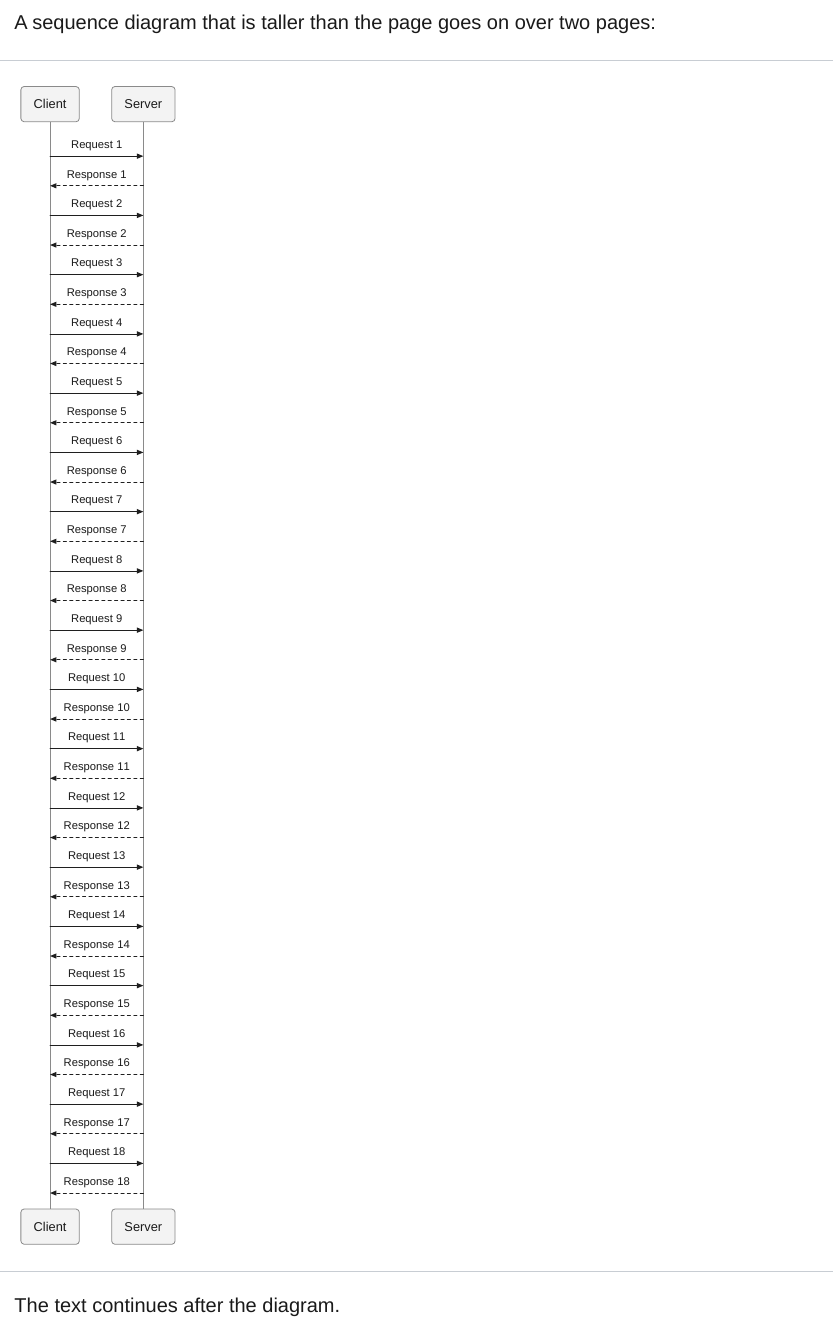
Every part holds the whole drawing and shows only its band of it, so a search in the PDF also finds the text of the hidden bands. Fitting needs a second layout of the document, which only runs when a diagram is too tall. -O mermaid.fit=off turns it off, mermaid.max_height gives all diagrams a smaller limit.